Read beyond the score
Combine the overall result with passage-level signals.
TURNITPASS / Tools
Paste text or upload a document to review AI-writing signals and revision notes before you submit.
Your result will appear here.
Sign in for 3 free scans every day. No writing credits used.
WHY TURNITPASS
Stop guessing which parts sound like AI. Check your essay, article or report for an overall score and passage-level guidance. Find what to rewrite, humanize the text and check your next draft in one place.
Combine the overall result with passage-level signals.
Choose General or Academic mode and consider the language and purpose of the text.
Move into rewriting or polishing, then verify facts and sources yourself.
Detector-aware review
TurnitPass treats detection as a revision workflow. The scanner gives a score, then keeps the signals visible so writers can decide what to rewrite, what to leave alone, and when document parsing may have affected the result.
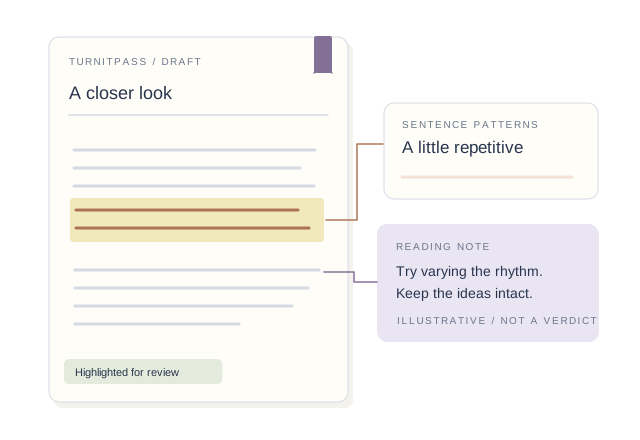
Flags passages where sentence length, cadence, and clause structure feel too uniform across the draft.
Looks for overly common connector phrases and paragraph moves that often appear in generated academic prose.
Reviews repeated terms, safe phrasing, and low lexical variation that can make a text feel machine-smoothed.
Keeps source type and extraction warnings visible so scores are interpreted in context, especially with PDFs.
MORE ROOM FOR YOUR NEXT DRAFT
Get more credits for detection and humanizing. Find AI writing patterns, revise the flagged passages and check the updated draft before sharing.
CHOOSE AROUND YOUR WRITING
Revision workflow
A detector score tells you where to look. TurnitPass keeps the next step close: rewrite the exact passages that look too uniform, preserve sources, and check the revised draft again.
Paste the full draft or upload DOCX, PDF, TXT, or Markdown to keep document context in the scan.
Use the score together with signal rows, language metadata, source kind, and parsing warnings.
Move high-risk sections into the humanizer or rewriter, then compare the rewritten output against the original meaning.
Run the revised draft again after citation cleanup and document formatting so the final version is the one being reviewed.
Documents
DOCX, PDF, TXT, and Markdown imports keep the source type visible. If extraction produces warnings, the detector shows them next to the scan so the result is not separated from the document quality.
Import the body text and check citations, paragraphs and special characters.
Review the extracted text. Scanned images need OCR first.
Bring the full draft so paragraphs stay in context.
PART OF YOUR WRITING ROUTINE
Review passages in the context of technical terms, citations and the underlying research.
Check repeated sentence patterns, formulaic transitions and vague phrasing before publishing.
Use the results to guide a conversation with the writer alongside the original draft.
Choose the processing language and keep the original context when reviewing a passage.
Short text offers less context for sentence and paragraph patterns. PDF extraction may change line breaks or miss characters. Review the imported draft first, then read any highlights in context. A score alone cannot establish authorship or AI use.
BEFORE YOU START
See overall AI-writing signals and passage-level guidance to identify revision priorities. Continue with humanizing and polishing in the same workspace.
Yes. Choose General or Academic mode to fit your content, with English and Chinese processing available.
Use the score alongside the highlighted passages. Language, length and writing style all shape the result.
Opening your history…