Clearer structure
Rework word order and connections to make the point easier to follow.
TURNITPASS / Tools
Choose Light, Natural or Deep to rephrase sentences and paragraphs. Improve wording and flow in English and Chinese around your original ideas.
Your result will appear here.
Per request: up to 2,000 Chinese characters or 6,000 English-text characters. Billed by actual words after success.
WHY TURNITPASS
Turn awkward sentences and repetitive paragraphs into clearer writing. Improve structure, wording and flow across essays, work emails and reports, with a revision intensity that fits your draft.
Rework word order and connections to make the point easier to follow.
Explore alternative phrasing without losing technical meaning.
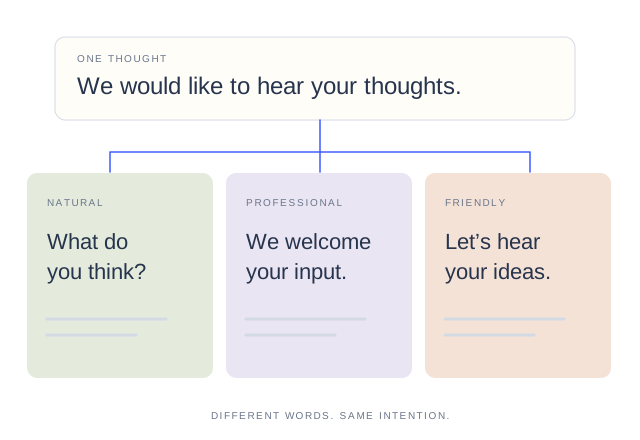
Try Light, Natural or Deep, starting with the smallest change you need.
A CLOSER LOOK
Due to limitations in terms of time, we are currently unable to complete all of the work involved.
Time constraints prevent us from completing all the work for now.
Illustrative edit: simplify redundant wording while retaining the condition and conclusion.
MORE ROOM FOR YOUR NEXT DRAFT
Get more revision credits for weekly articles, emails and reports. Larger requests keep complete passages together, with less splitting and smoother edits.
CHOOSE AROUND YOUR WRITING
FROM DRAFT TO REVIEW
Add a passage and check important terms, numbers and citations.
Start with Light or Natural and adjust after reviewing the result.
Check meaning and logic, then copy, export or save the chosen revision.
IN YOUR WRITING ROUTINE
Connect claims and explanations more clearly.
Remove excess wording around tasks, conditions and conclusions.
Compare versions and keep the voice that fits your purpose.
BEFORE YOU START
Choose Paraphrase to improve clarity and wording. Use Humanizer to focus on formulaic AI phrasing and mechanical rhythm. Both fit into the same writing workflow.
Yes. Choose Light, Natural or Deep for anything from small wording improvements to a more substantial rewrite.
Compare versions, keep the phrasing that fits, then copy, export or save it. Keep source citations when using ideas from other writers.
Opening your history…