Read beyond the score
Combine the overall result with passage-level signals.
TURNITPASS / Tools
Paste an essay or upload a document to review AI-writing signals and revision notes before submission.
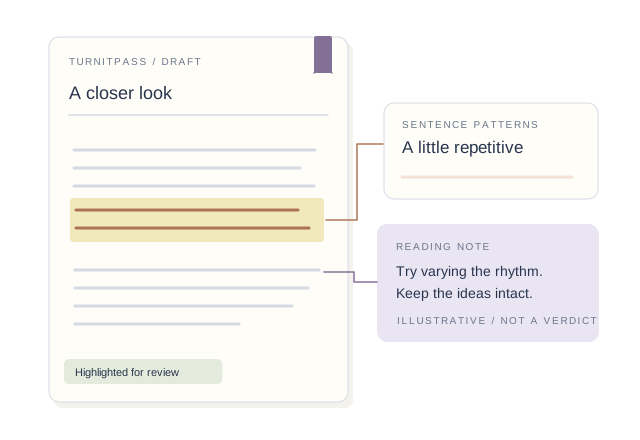
Your result will appear here.
Sign in for 3 free scans every day. No writing credits used.
WHY TURNITPASS
Read the overall result, then review flagged passages alongside your sources, argument and writing notes to decide what needs another edit.
Combine the overall result with passage-level signals.
Choose General or Academic mode and consider the language and purpose of the text.
Move into rewriting or polishing, then verify facts and sources yourself.
A CLOSER LOOK
Score-only reading: “This percentage is high, so the entire draft must be rewritten.”
Contextual reading: “Start with the flagged passages and review the writing process and language.”
Illustrative reading method, not an actual report. Signals alone cannot establish authorship or misconduct.
MORE ROOM FOR YOUR NEXT DRAFT
Get more credits for detection and humanizing. Find AI writing patterns, revise the flagged passages and check the updated draft before sharing.
CHOOSE AROUND YOUR WRITING
FROM DRAFT TO REVIEW
Paste a draft or import a document and verify the extracted content.
Set the language and General or Academic mode, then run the check.
Read the overall result and passages together; copy or save the report if useful.
IN YOUR WRITING ROUTINE
Identify passages in an essay or report that deserve closer attention.
Use the original text to develop specific revision suggestions.
Discuss signals alongside drafts, source records and the writer’s explanation.
BEFORE YOU START
See overall AI-writing signals and passage-level guidance to identify revision priorities. Continue with humanizing and polishing in the same workspace.
Yes. Choose General or Academic mode to fit your content, with English and Chinese processing available.
Use the score alongside the highlighted passages. Language, length and writing style all shape the result.
Opening your history…
Guide
Paste an essay or upload a document to review AI-writing signals and revision notes before submission.
Step 1
Paste or upload
Step 2
Review the signals
Step 3
Revise in the humanizer
Guide
Why check before submitting?
What the scan reviews
What to do with a high score
01
A pre-check highlights uniform, formulaic, or overly regular passages so you can revise them while the draft is still in hand.
02
TurnitPass reviews sentence uniformity, formulaic transitions, lexical repetition, sentence rhythm variation, and document parsing warnings.
03
Do not only swap synonyms. Rewrite the flagged sections for clearer argument flow, add specific evidence, vary sentence rhythm, and keep citations intact.
What we check
The detector page is most useful when it explains why a passage looks machine-like. TurnitPass keeps the score paired with concrete revision signals.
Dense clusters of predictable sentences in introductions, transitions, and conclusions usually matter more than one isolated sentence.
The result points to the sentences worth revising first, so you know where to start.
Sudden shifts in vocabulary, sentence rhythm, or paragraph tone are surfaced because partial AI use often appears as a style break.
Uniform paragraph length, generic transitions, and formulaic conclusions are highlighted so you can revise those sections first.
College essay workflow
Admissions essays, scholarship essays, and high-stakes coursework need more than a percentage. The page is designed to help a writer decide whether to rephrase, keep evidence, or revise the argument itself.
Review personal voice and reflective passages without flattening the narrative into generic safe language.
Find formal sections that read too uniform, especially introductions, literature summaries, and conclusions.
Treat higher scores as a prompt to inspect phrasing carefully, not as an automatic sign of misconduct.
Review path
Re-scan after a focused revision
Rewrite the sections with dense signals, add concrete evidence, and scan again to confirm the pattern changed.
Keep your writing trail
Save outlines, notes, source highlights, version history, and drafts so the writing process is easy to explain.
Use humanization only where it helps
If phrasing is stiff or AI-like, move that passage into the humanizer while keeping the argument and citations intact.
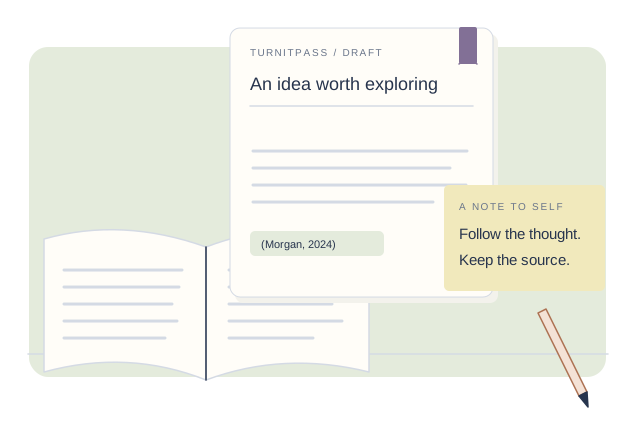
If flagged
A high AI-like score should trigger a review plan. Start with the flagged passages, revise the ones that read too uniformly, then check the draft again.
Rewrite the sections with dense signals, add concrete evidence, and scan again to confirm the pattern changed.
Save outlines, notes, source highlights, version history, and drafts so the writing process is easy to explain.
If phrasing is stiff or AI-like, move that passage into the humanizer while keeping the argument and citations intact.
Compare the workflow around the score, not just the existence of a detector.
TurnitPass
Revision-focused AI signal check
Breakdown
Sentence and pattern guidance
Next step
Humanizer and evidence workflow
GPTZero
Single detector classifier
Breakdown
Sentence details on some plans
Next step
Limited rewrite workflow
Grammarly AI checker
Bundled writing score
Breakdown
Mostly summary-level
Next step
Grammar-first suggestions
Submission readiness
The checker is most useful when it turns anxiety into a concrete plan: identify risky passages, revise with intent, then keep your notes and draft trail ready.
Signals
Find the passages with dense AI-like rhythm or formulaic transitions.
Revision
Rewrite for specificity, evidence, and sentence variation instead of synonym swapping.
Process
Keep outlines, source notes, version history, and final scan context together.
Workflow
Review record
01
Draft source
Essay draft + notes
02
Detector signal
Passages to revise before submission
03
Next action
Revise, rescan, or preserve evidence
Further reading
It is an AI-style writing signal checker. TurnitPass does not provide source matching or similarity reports.
A low score is a good sign rather than a formal approval. Use the result as revision feedback and keep your notes, outlines, and draft history.