Read beyond the score
Combine the overall result with passage-level signals.
TURNITPASS / Tools
Scan student writing for AI-like patterns, surface high-risk passages, and review assignments with a clearer map of where to look first.
Your result will appear here.
Sign in for 3 free scans every day. No writing credits used.
WHY TURNITPASS
Review assignments alongside drafts, sources and the student’s explanation. Use passage signals to identify questions for discussion and leave room for clarification and revision.
Combine the overall result with passage-level signals.
Choose General or Academic mode and consider the language and purpose of the text.
Move into rewriting or polishing, then verify facts and sources yourself.
A CLOSER LOOK
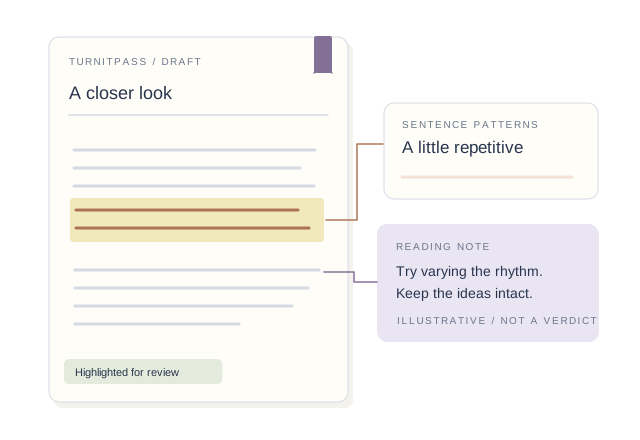
Score-only reading: “This percentage is high, so the entire draft must be rewritten.”
Contextual reading: “Start with the flagged passages and review the writing process and language.”
Illustrative reading method, not an actual report. Signals alone cannot establish authorship or misconduct.
MORE ROOM FOR YOUR NEXT DRAFT
Get more credits for detection and humanizing. Find AI writing patterns, revise the flagged passages and check the updated draft before sharing.
CHOOSE AROUND YOUR WRITING
FROM DRAFT TO REVIEW
Paste a draft or import a document and verify the extracted content.
Set the language and General or Academic mode, then run the check.
Read the overall result and passages together; copy or save the report if useful.
IN YOUR WRITING ROUTINE
Identify passages in an essay or report that deserve closer attention.
Use the original text to develop specific revision suggestions.
Discuss signals alongside drafts, source records and the writer’s explanation.
BEFORE YOU START
See overall AI-writing signals and passage-level guidance to identify revision priorities. Continue with humanizing and polishing in the same workspace.
Yes. Choose General or Academic mode to fit your content, with English and Chinese processing available.
Use the score alongside the highlighted passages. Language, length and writing style all shape the result.
Opening your history…
Guide
Scan student writing for AI-like patterns, surface high-risk passages, and review assignments with a clearer map of where to look first.
Step 1
Scan the submission
Step 2
Compare prior work
Step 3
Have a private conversation
Guide
See the passages that matter
Built for common assignment types
From scan to classroom feedback
01
The report highlights concentrated AI-like writing, so review can start with the most relevant paragraphs instead of a single score.
02
Essays, research papers, short responses, and take-home exams can all be scanned for concentrated AI-like writing.
03
Use flagged passages to structure comments, discussion, and the next round of revision.
What we check
The teacher page is built around classroom review, where text length, assignment format, and student history all change how a detector result should be read.
Scan the full paper and inspect flagged passages instead of acting on one global percentage.
Keep citations and formal prose in context, because academic style often looks more predictable than casual writing.
Discussion posts and lab notes can be noisy. Short-text flags should be compared with classroom writing baselines.
Use the score as a review trigger before grading, then ask process questions where the signal is concentrated.
Teacher workflow
The teacher workflow is faster when the report shows where AI-like writing concentrates, so review and feedback can start there.
Use TurnitPass when the school LMS score feels too thin or when you need a sentence-level review before acting.
Compare sentence rhythm, vocabulary, and argument structure with in-class writing or earlier submissions.
Use flagged passages to structure feedback and discussion around the writing itself.
Review path
Cross-check the result
Compare flagged passages with the rest of the assignment and, where useful, with other review tools.
Review the flagged passages
Look for concentrated blocks in introductions, conclusions, and transition paragraphs rather than random isolated lines.
Continue with classroom feedback
Use the flagged passages to structure comments, discussion, and the next round of revision.
Review workflow
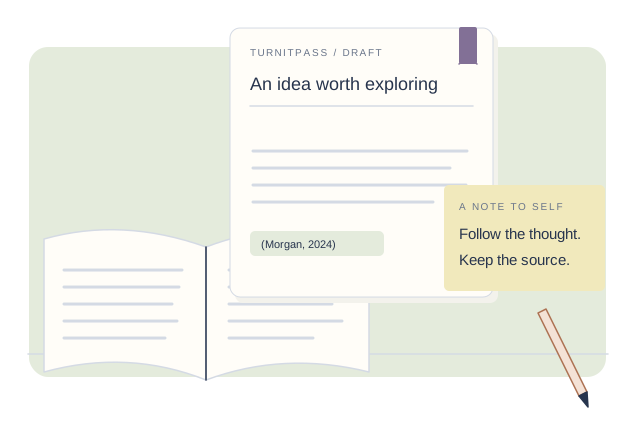
Start with the report, inspect the highlighted passages, then continue with classroom feedback or revision.
Compare flagged passages with the rest of the assignment and, where useful, with other review tools.
Look for concentrated blocks in introductions, conclusions, and transition paragraphs rather than random isolated lines.
Use the flagged passages to structure comments, discussion, and the next round of revision.
Compare the workflow around the score, not just the existence of a detector.
TurnitPass
Classroom scan with passage-level feedback
Breakdown
Sentence and pattern guidance
Next step
Assignment review workflow
Turnitin AI
Institutional bundled score
Breakdown
Limited visible evidence
Next step
Depends on school policy
GPTZero
Single detector classifier
Breakdown
Sentence details on some plans
Next step
Requires teacher process review
Classroom policy
Treat the scan as a review trigger. The useful workflow keeps the score, the flagged passage, the student process, and the final decision in the same record.
Policy
Define what AI use is allowed, disclosed, or prohibited before assignments begin.
Evidence
Pair detector estimates with drafts, notes, prior writing, and a private explanation.
Decision
Start from flagged passages, then continue with comments or revision.
Workflow
Review record
01
Draft source
Full submission + class context
02
Detector signal
Clustered passages to review first
03
Next action
Conversation or no action
Further reading
It emphasizes passage-level feedback for assignment review, so high-risk sections are easier to find and discuss.
No. TurnitPass is a secure text and document scanner. We do not store class rosters, student directories, or personal identifiers.